
/01
Your app stays the host
Add Cendia to your ASP.NET Core app and configure its database. Define content in C#, render it with your Razor templates, and deploy through your own pipeline.
The .NET CMS
A CMS inside your ASP.NET Core application. Give authors structured editing, reusable blocks and publishing workflows, while your developers control the content model, front end and deployment.

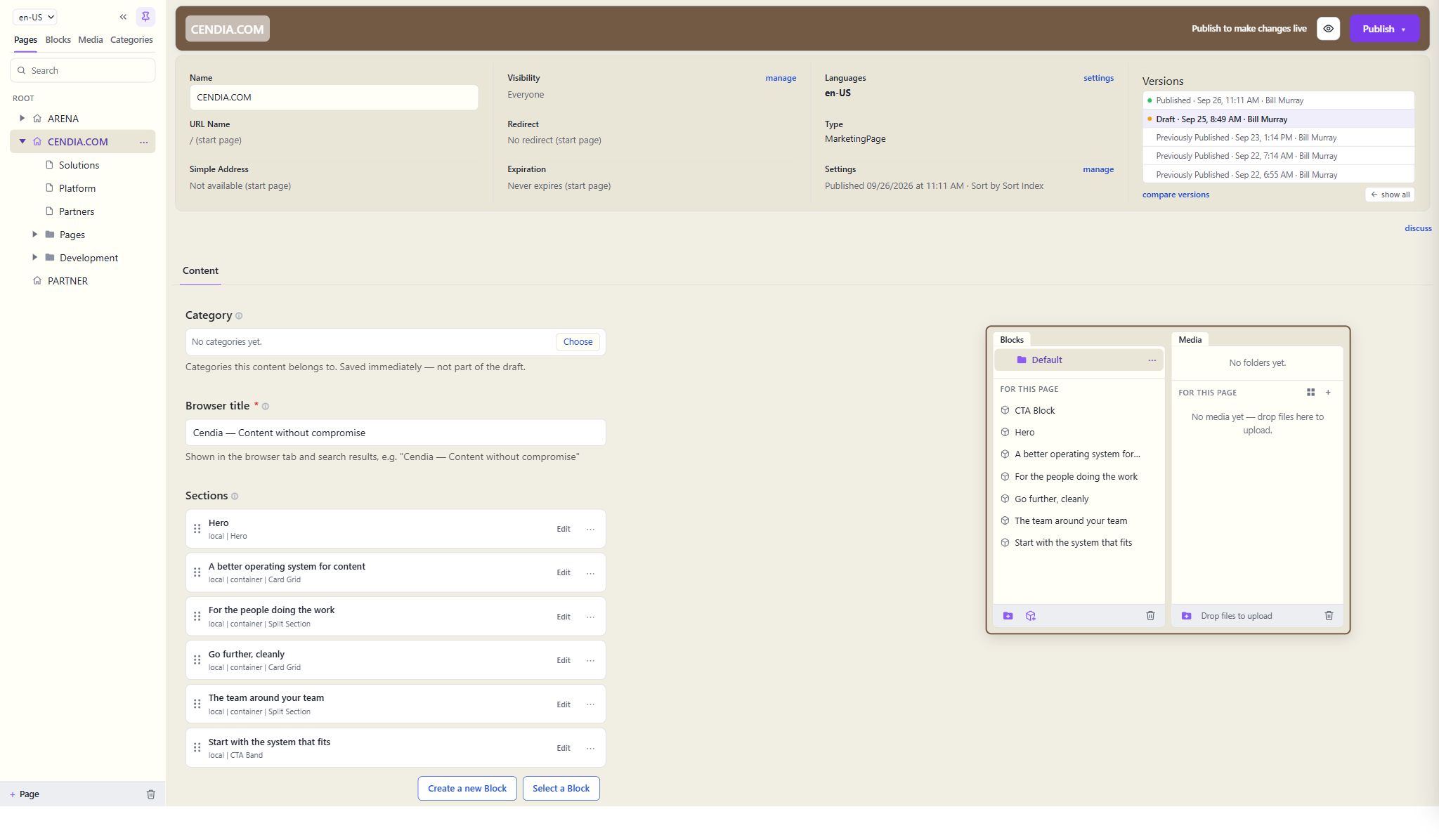
The homepage in the real CMS, with its page sections, local blocks and version history.
BUILT ON
.NET 10 · ASP.NET Core
STORES IN
SQL Server · local disk or Azure Blob
DELIVERS
Razor pages or a JSON API
What makes it different
Add Cendia to your ASP.NET Core app and configure its database. Define content in C#, render it with your Razor templates, and deploy through your own pipeline.
Pages built from blocks in drag-and-drop zones, drafts saved freely, validation at publish, and a preview of the actual site.
The same content renders as Razor pages or serves a Delivery API with paging, filters and audience-aware results.
For the people doing the work
Authors work in fields and content zones designed for the job. Reuse shared blocks across pages or keep a local block for one page, preview the real site, and publish when it is ready. Edit locks help prevent overlapping edits.
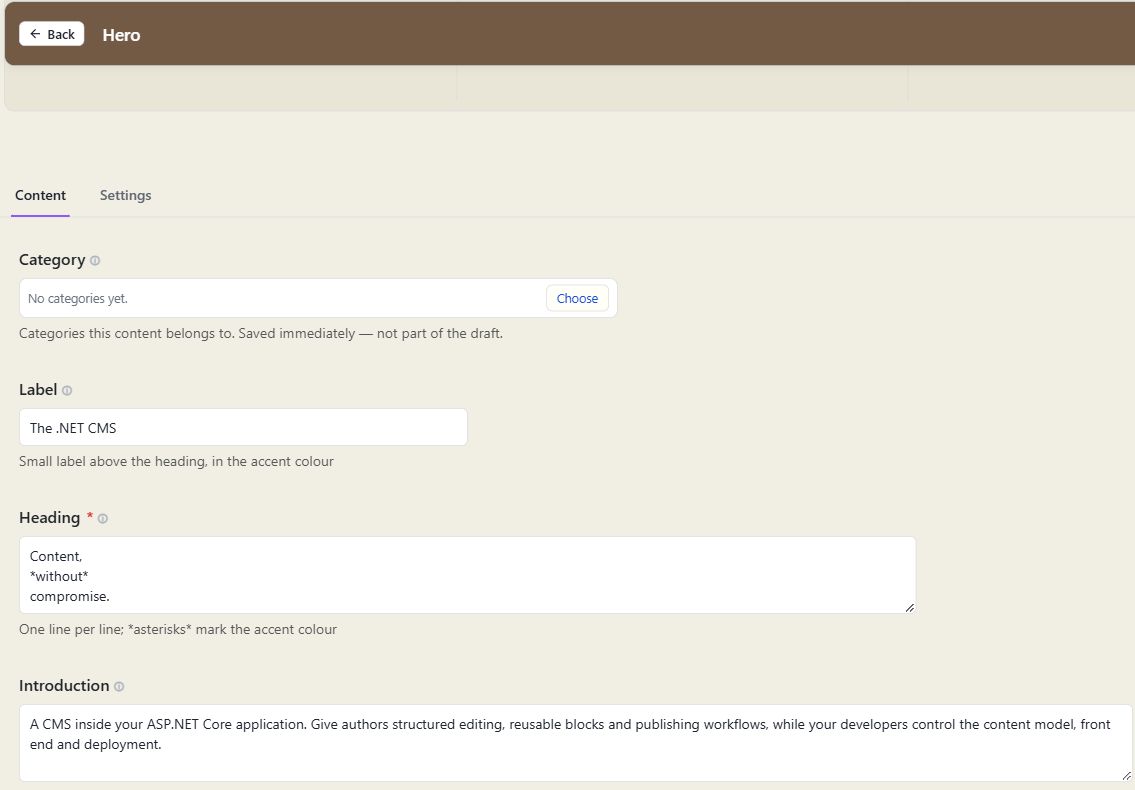
Editing this website's homepage hero through Cendia's Content and Settings tabs.
One platform
Shared blocks for reuse, local blocks for one-offs, and container blocks like accordions that authors fill themselves.
Use audience rules to vary block placements. Manage language variants and fallbacks, and run multiple sites from one installation.
Pages, children and queries over indexed fields, with paging and rights-aware results, for any front end.
Set content permissions, compare and restore versions, schedule publishing or expiry, and recover content from the trash.

The team around your team
Planning a new site, migration or integration? Talk with the Cendia team about your project and the implementation expertise you need.
Explore working with CendiaTalk to the people who built it